



Download What's App Emoticon – Android Emoticon Tool, Messaging Utility, PC Software
Overview
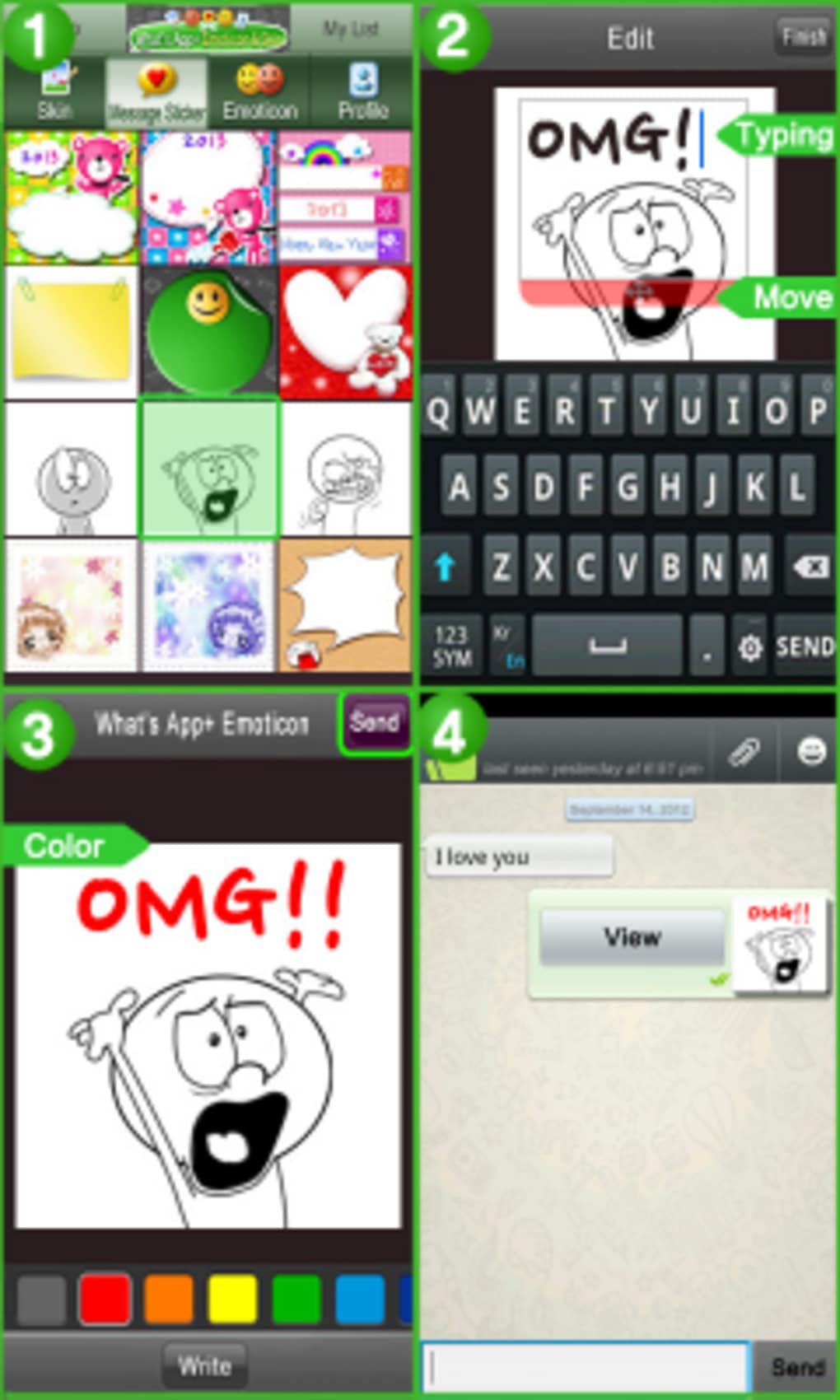
What's App Emoticon is a full version Android application developed by IDEZIGN, designed to enhance the messaging experience for users of WhatsApp. The app introduces a broader selection of emoticons, allowing users to express emotions and reactions more vividly within their conversations. It is specifically tailored for Android users who seek a richer visual communication experience beyond the default emoji set.
The software has been available since 2012, indicating a long-standing presence in the mobile utility space, and has accumulated 1,725 total installations to date. While the developer has not provided additional details about their background, the app's continued availability suggests a stable and functional product. It supports Android 2.2 and higher, making it compatible with a wide range of older and mid-tier devices.
The app is available in multiple languages, including English, Spanish, and German, which supports its accessibility across international user bases. Real-world usage scenarios include personal messaging, social interactions, and informal business communications where tone and expression are important.
Key Features & Capabilities
- Expanded Emoticon Library – Offers a broader range of emoticons than the default WhatsApp set, enabling users to convey emotions with greater nuance and creativity.
- Language Support – Available in English, Spanish, and German, allowing users from various regions to access the app in their preferred language.
- Compatibility with WhatsApp – Designed to integrate seamlessly with WhatsApp, enhancing the native messaging interface without requiring changes to the core app.
- Stable and Lightweight Design – Built to function efficiently on devices running Android 2.2 and above, ensuring usability across older and mid-range smartphones.
- Regular Updates – The app has received updates since its initial release, with the latest update recorded on January 29, 2012, indicating ongoing maintenance.
These features allow users to personalize their messaging style, making conversations more expressive and engaging. For example, a user in Spain might use Spanish-language emoticons to communicate with friends in a more culturally resonant way. Similarly, someone in Germany could leverage the German interface to navigate the app without language barriers. The app’s lightweight nature ensures it does not significantly impact device performance, which is critical for users with older Android devices.
User Interface, Workflow & Performance
The user interface of What's App Emoticon is designed to be intuitive and accessible, focusing on quick access to emoticons during messaging. Navigation is likely streamlined to minimize disruptions to the WhatsApp experience, allowing users to insert emoticons with minimal steps. The workflow is optimized for on-the-go use, where speed and ease of access are essential.
Since the app integrates directly with WhatsApp, users can switch between the native app and the emoticon picker without leaving the conversation. Performance details were not specified by the developer, but given the app’s long-standing presence and compatibility with Android 2.2 and above, it is likely optimized for low-resource environments. The developer did not specify resource usage details, so general performance observations are based on typical behavior of similar lightweight utility apps.
Stability appears to be maintained, as the app continues to be available and updated over a decade after its release.
Compatibility & System Requirements
What's App Emoticon is designed for Android operating systems, with support for Android 2.2 and higher versions. This indicates compatibility with a wide range of devices, including older smartphones and tablets. The install size of the app varies depending on the device type, though specific file size details were not provided.
The developer did not list exact hardware requirements, so users should rely on general Android device capabilities to ensure smooth operation. Compatibility information was partially provided, with no mention of specific processors, RAM, or storage thresholds. Users are advised to ensure their device meets the minimum Android version requirement to use the app.
The app is not available on other platforms such as iOS or desktop operating systems. For users seeking a desktop alternative, the app cannot be installed on Windows or Mac systems.
Pros and Cons
Pros
- Enhances WhatsApp messaging with a wider variety of emoticons
- Available in multiple languages, including English, Spanish, and German
- Compatible with Android 2.2 and higher, supporting older devices
- Lightweight design with minimal impact on device performance
- Long-standing presence in the market with consistent updates
Cons
- Not available for iOS or desktop platforms
- Price of $1.99 is not free, limiting accessibility for some users
- Latest update was in 2012, raising concerns about current compatibility and support
- Install size varies by device, with no clear size specification
- Developer did not provide detailed system requirements or performance data
FAQ Section
Is What's App Emoticon available for iOS devices?
No, the app is exclusively for Android operating systems and is not available for iOS or other platforms.
Can I use What's App Emoticon offline?
Yes, the app functions without an internet connection once installed, as it relies on local emoticon files.
How do I update What's App Emoticon?
Updates are delivered through the app’s distribution channel. Users should check the source where they originally downloaded the app for update notifications.
Is the app secure to download and use?
The app is distributed through a third-party catalog and has been used by over 1,700 users. However, users should ensure they download from trusted sources to maintain device security.
What is the license type for What's App Emoticon?
The app is not free and is priced at $1.99. It is a paid utility with a one-time purchase model, though the developer did not specify the exact license terms.
Final Thoughts + CTA
What's App Emoticon offers a straightforward enhancement to WhatsApp messaging by expanding the emoticon library for Android users. Its long-term availability and multilingual support demonstrate its value to a global audience. While the app lacks modern updates and platform diversity, it remains a functional tool for users who prioritize expressive communication on older Android devices.
The lightweight design and compatibility with Android 2.2 and above make it accessible to a broad range of users. However, the absence of recent updates and limited platform support may deter users seeking current features or cross-device functionality. For Android users looking to enrich their messaging experience with additional emoticons, this app remains a viable option.
Download What's App Emoticon now to enhance your WhatsApp conversations with expressive visuals.





.png)

